AI Simply Explained
Think of artificial intelligence (AI) as computer systems that can perform tasks typically requiring human intelligence. These systems can:
Human Skills vs. AI Capabilities
- Learning from experience
- Understanding language
- Recognizing patterns
- Problem-solving
- Making decisions
- Learning from data
- Processing text & speech
- Finding patterns in data
- Solving specific problems
- Making predictions
The AI Journey: From Then to Now
AI Timeline Highlights
The term "Artificial Intelligence" was coined; early experiments with simple programs that could learn.
Specialized programs that mimicked human expertise in specific domains like medical diagnosis.
Neural networks with many layers made dramatic advances in image recognition, speech processing, and more.
Large language models like GPT, Claude, and Gemini can generate high-quality text, code, images, and more.
1950s: The Birth of AI
The field of AI research was founded at a workshop at Dartmouth College in 1956. Researchers like Alan Turing, John McCarthy, Marvin Minsky, and Allen Newell began exploring the concept of "thinking machines."
Key development: The Turing Test (1950) proposed by Alan Turing as a test of a machine's ability to exhibit intelligent behavior.
1980-90s: Expert Systems Era
Expert systems attempted to encode human expertise in specific domains as rules. These systems could diagnose diseases, configure computer systems, and assist in various professional tasks.
Key development: MYCIN (1976) was an early expert system that could diagnose infectious blood diseases and recommend antibiotics, often outperforming junior doctors.
2010s: Deep Learning Revolution
Deep neural networks with many layers achieved breakthrough results in image recognition, speech processing, machine translation, and game playing.
Key developments: AlexNet (2012) dramatically improved image recognition, and AlphaGo (2016) defeated world champion Lee Sedol at the complex game of Go, a feat many thought was decades away.
2020s: Generative AI Explosion
Large language models with billions of parameters could generate coherent text, translate languages, write code, create images, and have natural conversations.
Key developments: GPT models, DALL-E, Stable Diffusion, and LLMs like Claude and Gemini brought powerful AI capabilities to millions of people through accessible interfaces.
Types of Artificial Intelligence
 Early AI Illustration
Early/Symbolic AI
The first generation of AI focused on symbolic reasoning and explicit rule-based systems.
Examples: Logic Theorist (1956), General Problem Solver (1957), Early chess programs like MacHack (1967).
Historical Impact: These early systems showed that computers could simulate aspects of human reasoning using logic and rules, but they struggled with real-world complexity.
 Expert Systems Illustration
Expert Systems
Systems that captured human expert knowledge in specific domains using rule-based approaches.
Examples: MYCIN (medical diagnosis, 1976), DENDRAL (chemical analysis), XCON (computer configuration).
Historical Impact: First commercially successful AI systems. Created the first "AI boom" in the 1980s but faced limitations when dealing with uncertainty and learning from data.
 Narrow AI Illustration
Narrow/Weak AI
AI designed to perform a single task or a limited set of tasks extremely well.
Examples: Virtual assistants (Siri, Alexa), recommendation systems (Netflix, YouTube), spam filters, facial recognition.
Current Status: This is the type of AI we have today. Very good at specific tasks, but cannot transfer learning to new domains.
ChatGPT Example: Despite its impressive capabilities, ChatGPT is still narrow AI. It excels at language tasks but:
- Cannot truly understand what it's saying
- Limited to pattern recognition in text
- Can't independently learn new skills
Even advanced models like GPT-4 are fundamentally narrow AIs with broader capabilities—they're still specialized for language tasks and don't have general intelligence.
 General AI Illustration
General/Strong AI (AGI)
AI with human-like intelligence, capable of performing any intellectual task that a human can.
Also known as Artificial General Intelligence (AGI): the ability to understand, learn, and apply knowledge across diverse domains like humans.
Current Status: Does not exist yet. While current AI systems like GPT-4 may seem like they approach this capability, they still lack true understanding and independent reasoning.
AGI Characteristics:
- Generalization: Learning a concept in one domain and applying it to another completely different one
- Common Sense: Understanding implicit knowledge humans take for granted
- Self-improvement: Ability to enhance its own intelligence
- Adaptability: Solving novel problems without specific training
Example: A true AGI could learn chess, then independently create strategies for a different game like Go without special training, while also being able to write a novel, design a building, and have a philosophical conversation—all with genuine understanding.
Experts debate whether AGI is possible, when it might arrive (estimates range from 10 to 100+ years), and what impacts it might have on society.
 AI Agent Illustration
AI Agents
AI Agents are autonomous systems that can perceive their environment, make decisions, and take actions to achieve specific goals—often by chaining together multiple steps or tools.
Examples: Auto-GPT, BabyAGI, Microsoft Copilot agents, customer support bots that can complete tasks, AI workflow automators.
Current Status: AI Agents are rapidly evolving. They can plan, reason, and act across multiple steps, but still require human oversight and are limited by their training and tool access. They represent a bridge between narrow AI and more general, autonomous systems.
 Conversational AI Illustration
Conversational AI
Conversational AI refers to systems designed to interact with humans using natural language. These AIs can answer general questions, hold conversations, and assist users in a wide range of topics.
Examples: ChatGPT, Google Bard, Claude, Bing Chat, customer support chatbots.
Current Status: Conversational AIs are widely used today. They excel at answering questions, providing information, and simulating human-like dialogue, but their responses are based on patterns in data, not true understanding.
How AI Actually Works
AI systems learn from vast amounts of data—text, images, or other information. The quality and diversity of this data directly impacts the AI's capabilities.
The AI analyzes training data to identify patterns. For example, it might learn that certain word sequences often appear together or that specific visual features indicate a cat.
When given new input, the AI applies the patterns it learned to make predictions or generate results. These predictions are based on statistical likelihood, not understanding.
The AI's output is evaluated, and the system adjusts its internal parameters to improve future performance. This process can happen during training or through ongoing learning.
Key Takeaways: What is AI?
- AI is computer systems performing tasks that typically require human intelligence
- Modern AI works through pattern recognition on large datasets, not true understanding
- Today's AI is "Narrow AI" - specialized for specific tasks
- True "General AI" with human-like reasoning doesn't exist yet
- AI's capabilities are constantly advancing but have fundamental limitations
What are LLMs?
Think of LLMs as:
Massive AI systems trained on millions of texts that can understand and generate human-like language. They're the technology behind tools like ChatGPT and Claude.

LLMs can:
- Understand what you're asking
- Generate human-like responses
- Follow instructions to complete tasks
- Apply knowledge from training data
At a simplified level, LLMs work by:
- Breaking text into tokens (words/parts of words)
- Processing these tokens through transformer architecture
- Predicting likely next tokens based on patterns in training data
- Generating responses one token at a time
They don't "understand" meaning like humans do - they recognize statistical patterns in language that allow them to predict what would sound like a reasonable response.
How LLMs Learn
LLM Training Process
The Evolution of LLMs
Think of LLMs Like Learning to Talk:
Early LLMs (2017-2018):
Like a child learning basic words and phrases: "I want cookie" or "Where ball?"
Modern LLMs (2022+):
Like a college graduate who can write essays, tell stories, explain complex topics, and follow specific instructions
Growing Capabilities: A Visual Comparison
| Task | Early LLMs (2018) | Modern LLMs (2023+) |
|---|---|---|
| Writing an Email |
Disjointed text with grammar errors
|
Professional email matching your requested tone
|
| Coding Help |
Basic code snippets with errors
|
Complete, working functions with documentation
|
| Understanding Images |
Not possible (text only)
|
Can describe and reason about images
|
LLM Development Timeline
The Breakthrough: Transformer Architecture

In Simple Terms: Imagine upgrading from a flip phone to a smartphone. The Transformer was a completely new way for AI to process language.
Real-World Impact: Like GPS changing how we navigate, Transformers changed how AIs understand language, making everything that followed possible.
BERT Changes NLP

In Simple Terms: BERT could understand context in both directions in a sentence, like knowing "bank" means different things in "river bank" vs. "bank account".
Real-World Impact: Improved Google Search results dramatically, helping it understand what you're actually asking for.
GPT-3: Scaling Changes Everything

In Simple Terms: Like going from a small town library to the Library of Congress. GPT-3 was 100x larger than previous models.
Real-World Impact: Suddenly AI could write essays, poetry, and code that were actually good – without being specifically trained on those tasks.
ChatGPT: LLMs Go Mainstream

In Simple Terms: Like when smartphones became user-friendly enough for everyone. ChatGPT made powerful AI accessible through simple conversation.
Real-World Impact: Reached 100 million users in just 2 months – faster than Instagram or TikTok. Changed how people think about AI.
Multimodal Era & Open Models

In Simple Terms: From text-only to full sensory understanding. Modern LLMs can now "see" images and understand visual content.
Real-World Impact: AI can help with visual tasks like diagnosing medical images, designing websites from sketches, or answering questions about photos.
Popular LLMs You Should Know
| Model | Company | What Makes It Special |
|---|---|---|
 GPT-4
GPT-4
|
OpenAI | Understands images and text, powerful reasoning |
 Claude
|
Anthropic | Very long context, focuses on safety and helpfulness |
 Gemini
|
Strong reasoning, multimodal capabilities | |
 Llama
Llama
|
Meta | Open-weights, can be used locally on personal devices |
The LLM landscape evolves rapidly. Some notable recent models:
- Claude 3 Opus: Anthropic's most capable model with strong reasoning
- GPT-4o: OpenAI's optimized model with faster responses
- Gemini Pro: Google's advanced multimodal model
- Llama 3: Meta's open-weights model with improved performance
- Mistral Large: Competitive model from Mistral AI with strong instruction following
LLM Powers and Limitations
Understanding LLM Capabilities
- Understanding questions
- Generating human-like text
- Summarizing information
- Following instructions
- Working across topics
- May generate false info
- Limited to training data
- No real-time internet access
- No emotional understanding
- Context window limits
Tokens and Context Windows
How Tokens Work
Original sentence: "Web development with AI is amazing!"
Tokenized:
Note: Actual tokenization might break words differently.
Context window = how many tokens a model can "see" at once:
- Affects how much text an LLM can consider in a conversation
- Larger windows (100K+ tokens) can handle entire documents
- Smaller windows (4K-8K tokens) are more limited
Key Takeaways
- LLMs are AI systems that understand and generate human language
- They learn by analyzing patterns in massive amounts of text data
- Different models have unique strengths (GPT-4, Claude, Gemini, etc.)
- LLMs are powerful but have limitations – they're pattern matchers, not truly "intelligent"
- Information is processed as "tokens" with context window limits
- Always verify important information from LLM outputs
The Not-So-Serious LLM Quiz
1. If you asked an LLM to review a pizza it's never tasted, what would happen?
2. What happens if you tell an LLM it's actually a human?
3. Which question might confuse an LLM the most?
4. How can you often spot text written by an LLM?
What is Generative AI?
Generative AI is a special type of artificial intelligence that can create brand new content that didn't exist before.
What Generative AI Can Create
Text
Images
Audio
Video
Code
3D Models
How It Works (Simply Explained):
Think of generative AI like a chef who has studied thousands of recipes:
- The AI "learns" patterns from existing content (data)
- When you give a prompt or instruction, it creates something new following those patterns
- The output looks original but is based on the patterns it learned
Types of Generative AI
| Type | Examples | What It Can Do |
|---|---|---|
|
Text
|
GPT-4, Claude | Write articles, stories, code, emails |
|
Image
|
DALL-E, Midjourney | Create artwork, photorealistic images |
|
Audio
|
MusicLM, AudioLM | Compose music, generate voice |
|
Video
|
Sora, Runway | Create animations, video clips |
|
Code
|
GitHub Copilot, Cursor | Generate programs, debug code |
Text Generation (ChatGPT):
Image Generation (DALL-E):
Code Generation (GitHub Copilot):
Generative AI vs. Traditional AI
Understanding the Difference
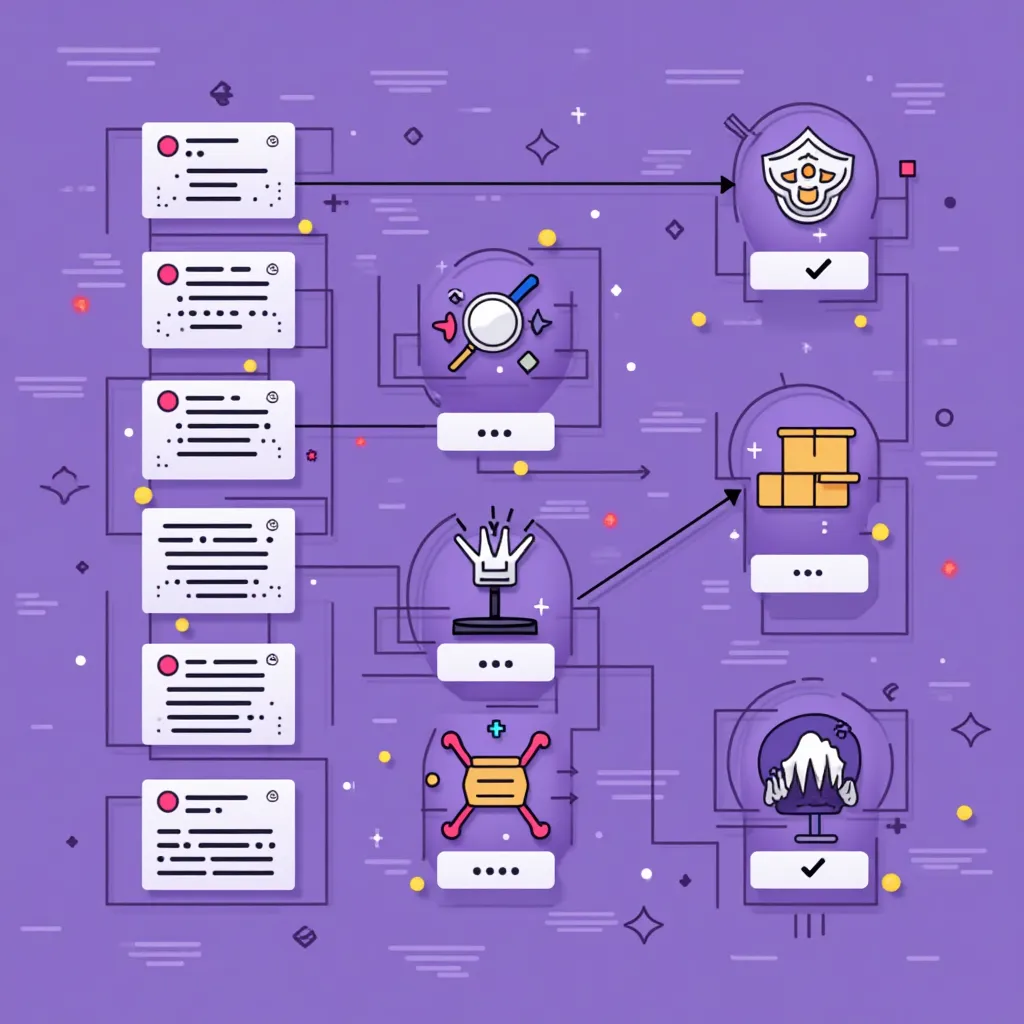
- Classifies things
- Makes predictions
- Recognizes patterns
- Answers specific questions

- Creates new content
- Produces original outputs
- Follows creative instructions
- Builds on existing patterns
Real-World Applications
Generative AI in Action:
Creative Fields
- Content Marketing: Blog posts, social media content
- Design: Logo creation, UI mockups
- Media: Stock photos, background music
Technical Fields
- Programming: Code generation, debugging
- Data Science: Synthetic data creation
- Product Design: Creating 3D models
How generative AI is changing web development:
- Code Generation: Creating HTML, CSS, and JavaScript from descriptions
- Content Creation: Writing website copy, blog posts, and marketing materials
- Design Assets: Generating images, icons, and UI elements
- Debugging: Helping identify and fix code issues
- Optimization: Suggesting performance improvements
- Prototyping: Quickly creating mockups from text descriptions
Using Generative AI Responsibly
❌ Ethical Concerns
- Copyright: Using others' work in training
- Misinformation: Creating convincing fake content
- Bias: Reproducing biases from training data
- Attribution: Not disclosing AI-generated content
✅ Best Practices
- Verify: Check AI-generated content for accuracy
- Disclose: Be transparent about AI usage
- Enhance: Use AI as a starting point, not the final product
- Credit: Acknowledge when content is AI-assisted
Key Takeaways
- Generative AI creates new content based on patterns in its training data
- Different types exist for text, images, audio, video, and code generation
- Unlike traditional AI that classifies or predicts, generative AI creates new things
- It has practical applications in both creative and technical fields
- Using generative AI comes with ethical responsibilities
- For web development, it can help with code, content, and design
How Coding Has Changed
The Evolution of Coding Tools

- Manual typing of every line
- Simple syntax highlighting
- Basic autocomplete
- Copying from documentation
- Generating entire functions
- Code suggestions based on comments
- Automatic bug detection
- Intelligent code completion
Task: Create a form validation function
Traditional Approach:
// Manually type function line by line
function validateEmail(email) {
  const regex = /^[^\s@]+@[^\s@]+\.[^\s@]+$/;
  return regex.test(email);
}

function validateForm() {
  const email = document.getElementById('email').value;
  if (!validateEmail(email)) {
    alert('Please enter a valid email');
    return false;
  }
  return true;}
AI-Assisted Approach:
// Simple prompt to AI: "Write a JavaScript function to validate a form with email and password fields"

// AI generates complete solution:
function validateForm() {
  const email = document.getElementById('email').value;
  const password = document.getElementById('password').value;

  // Validate email format
  const emailRegex = /^[^\s@]+@[^\s@]+\.[^\s@]+$/;
  if (!emailRegex.test(email)) {
    showError('email', 'Please enter a valid email address');
    return false;
  }

  // Validate password (min 8 chars, with number and special char)
  if (password.length < 8) {
    showError('password', 'Password must be at least 8 characters');
    return false;
  }

  if (!/\d/.test(password) || !/[!@#$%^&*]/.test(password)) {
    showError('password', 'Password must contain at least one number and one special character');
    return false;
  }

  return true;
}

function showError(field, message) {
  const errorElement = document.getElementById(`${field}-error`);
  errorElement.textContent = message;
  errorElement.style.display = 'block';
}
From Autocomplete to AI Pair Programming
The Evolution of AI in Coding:
| Feature | Traditional Tools | AI-Powered Tools |
|---|---|---|
| Code Completion | Next few characters | Entire functions |
| Understanding | Current file only | Entire project context |
| Documentation | Manual writing | Auto-generated comments |
| Debugging | Error messages only | Root cause analysis |
Popular AI Coding Tools
AI Tools You Can Use Today

GitHub Copilot
AI pair programmer that suggests code as you type

Cursor IDE
Code editor with integrated AI assistance
ChatGPT/Claude
Conversational AI for code help and explanations

Amazon CodeWhisperer
AI code assistant with security scanning
| Tool | Best for | Pricing |
|---|---|---|
| GitHub Copilot | Daily coding assistance | ~$10/month |
| Cursor | Full-featured IDE with AI | Free tier available |
| ChatGPT/Claude | Complex coding questions | Free tiers available |
| CodeWhisperer | AWS-oriented development | Free tier available |
The Future of AI Development
Coming Soon in AI Development:
Working Productively with AI
Benefits of AI-Assisted Development:
- Faster coding: 55% reduction in completion time for routine tasks
- Less documentation work: 30-40% time saved on comments and docs
- Focus on bigger picture: More time for architecture and design
- Easier onboarding: Help new developers get up to speed faster
- Lower barriers: Makes coding more accessible to beginners
Key Takeaways
- AI is transforming how code is written, from manual typing to AI generation
- Tools like GitHub Copilot and Cursor provide AI assistance for daily coding
- AI pair programming can significantly speed up development
- The technology is rapidly evolving toward more autonomous capabilities
- AI tools enhance productivity but require fundamental coding knowledge
- Always review AI-generated code for correctness and security